Best Mini PC for Local AI in 2026: Which One Actually Runs Your Model
Strix Halo, DGX Spark, Framework Desktop, or Mac Studio? The number that decides which mini PC runs your local LLM is usable VRAM, not total RAM. Here is the honest breakdown, plus a tool that ranks the machines for the model you want to run.
📋 This article contains affiliate links. We may earn a small commission at no extra cost to you.
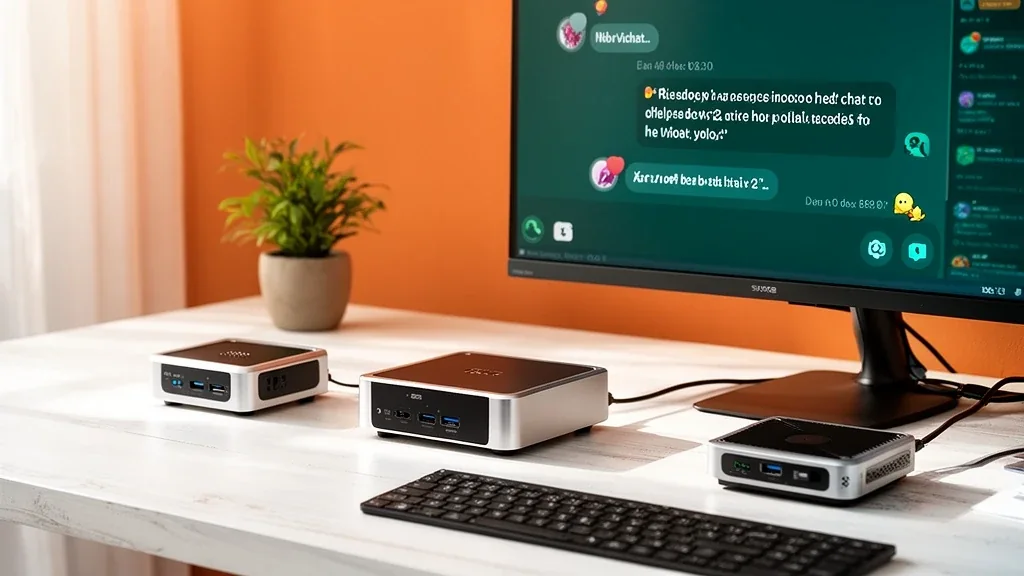
This post contains affiliate links. We may earn a small commission at no extra cost to you. Recommendations are based on verified specifications and street prices reviewed on 2026-07-10; always confirm the live price before buying.
Quick answer
The mini PC that “runs your model” is the one whose usable VRAM — not its total RAM — clears your model’s memory need. A full Ryzen AI Max+ 395 “Strix Halo” box with 128GB (Beelink GTR9 Pro, Minisforum MS-S1-Max, GMKtec EVO-X2, Framework Desktop) exposes about 96GB as VRAM, enough for 70B and gpt-oss-120b, and is the cheapest route there. The NVIDIA DGX Spark adds the CUDA stack at a premium; a 128GB Mac Studio is the quiet, efficient option. For 8B–32B on a budget, a smaller AMD HX box is plenty. Just remember: these machines let you run big models, not run them fast.
Something changed in local AI hardware in 2026, and most buying advice hasn’t caught up. For years, the only way to run a 70B model at home was a tower with one or two power-hungry graphics cards. Then a wave of unified-memory mini PCs arrived — AMD’s Ryzen AI Max+ 395 “Strix Halo,” NVIDIA’s DGX Spark, Apple’s Mac Studio, the Framework Desktop — that can hold a 70B or even a 120B model in a box the size of a paperback, drawing less power than a gaming PC.
The result is a genuinely confusing market. There are now about a dozen near-identical Strix Halo boxes, plus the Apple and NVIDIA options, and the spec sheets all shout the same big memory number. That number is a trap. This guide explains the one spec that actually decides what you can run, walks through each platform honestly, and gives you a tool that ranks the machines for the exact model you want to run.
To skip straight to the answer for your model, use the finder — then read on to understand the tradeoff you’re buying into.
Mini-AI-PC Finder
Pick the model you want to run and see which unified-memory mini PCs can actually run it — ranked by the cheapest box that fits. The number that decides model fit is usable VRAM, not total RAM.
"Usable VRAM" is how much of the unified memory pool the GPU can address for the model — always less than the advertised RAM. Prices move fast, so confirm the live price before buying.
70B (e.g. Llama 3.3 70B) needs about 48GB of usable VRAM at 4-bit, so machines below that are hidden.
| Machine | Usable VRAM | Total memory | Power | OS | Price |
|---|---|---|---|---|---|
| Beelink GTR9 Pro (Ryzen AI Max+ 395) Best value Ryzen AI Max+ 395 (Strix Halo) | 96GB | 128GB | 140W | Windows / Linux | Check price on Amazon |
| Minisforum MS-S1-Max (Ryzen AI Max+ 395) Ryzen AI Max+ 395 (Strix Halo) | 96GB | 128GB | 140W | Windows / Linux | Check price on Amazon |
| Framework Desktop (Ryzen AI Max+ 395) Ryzen AI Max+ 395 (Strix Halo) | 96GB | 128GB | 140W | Windows / Linux | Where to buy → |
| GMKtec EVO-X2 (Ryzen AI Max+ 395) Ryzen AI Max+ 395 (Strix Halo) | 96GB | 128GB | 140W | Windows / Linux | Check price on Amazon |
| NVIDIA DGX Spark (GB10) GB10 Grace Blackwell | 120GB | 128GB | 170W | DGX OS (Linux) | Where to buy → |
| Apple Mac Studio M4 Max (128GB) Apple M4 Max | 96GB | 128GB | 170W | macOS | Check price on Amazon |
Machines are ranked cheapest-first among those whose usable VRAM clears your model target — the metric that decides whether the model loads at all. It is not a speed ranking: tokens-per-second on unified memory is lower than a discrete GPU of the same VRAM, so check the full guide for the throughput tradeoff. Weighing a mini PC against a graphics card instead? Use the GPU Value Finder.
"Check price on Amazon" links are affiliate links; we may earn a commission at no extra cost to you. "Where to buy" links point to the manufacturer and are not affiliate links. We never show a stored price — the live price is always the one on the retailer's page.
The number that matters: usable VRAM, not total RAM
Every one of these machines uses unified memory — a single pool of RAM shared between the CPU and the integrated GPU. That is what makes them special: a normal graphics card taps out at 24–32GB of VRAM, but a unified-memory box can point 90GB-plus at a model.
The catch is that you cannot use the whole pool for the model. The operating system reserves some for the CPU and everything else. What’s left — the slice the GPU can actually address for model weights and the KV cache — is what decides whether a model loads:
- AMD Strix Halo (128GB): up to roughly 96GB is allocatable as VRAM.
- Apple Silicon (128GB): macOS caps GPU memory near 75% by default (about 96GB), raisable with
iogpu.wired_limit. - NVIDIA DGX Spark (128GB): its coherent memory is almost fully addressable, close to 120GB.
So a “128GB” Strix Halo box and a “128GB” Mac are really ~96GB-usable machines for AI. That is still enormous — more than a $2,000 stack of consumer GPUs — but it’s the number you should shop on. The finder above ranks strictly by usable VRAM for this reason.
The four platforms, honestly
1. AMD Strix Halo (Ryzen AI Max+ 395) — the value route to big models
This is the chip behind most of the buzz, and for good reason: it is the cheapest path to running 70B and gpt-oss-120b locally. The same APU appears in the Beelink GTR9 Pro, the Minisforum MS-S1-Max, the GMKtec EVO-X2, and the repairable Framework Desktop — near-identical internals in different chassis at street prices from roughly $1,900 to $3,300.
- Runs: 7B up to 70B comfortably, and gpt-oss-120b (a mixture-of-experts model) at usable speed.
- OS: Windows or Linux. llama.cpp, Ollama, and LM Studio all work through ROCm or Vulkan.
- Watch for: the 96GB memory variants cost less but cap lower; ROCm is less forgiving than CUDA on the rough edges of newer tools.
2. NVIDIA DGX Spark (GB10) — CUDA in a tiny box, at a premium
If your workflow depends on the NVIDIA/CUDA software stack — some image and video tools, research code, anything that assumes NVIDIA — the DGX Spark puts that ecosystem in a 1.2L box with ~120GB of addressable coherent memory. You pay for it: roughly $3,000–$4,000, the most expensive way to reach this memory class. Buy it for the software compatibility, not the price.
3. Apple Mac Studio (M4 Max, 128GB) — quiet, efficient, macOS
The Mac Studio M4 Max with 128GB is the calm option: near-silent, low power, and a mature Metal/MLX stack. It handles 70B-class models well inside the Mac ecosystem at roughly $3,200–$4,300. Choose it if you already live on macOS and value acoustics and efficiency over raw tokens per second.
4. Budget AMD HX boxes — for 8B to 32B, not 70B
Not everyone needs 70B. A Beelink SER9 (Ryzen AI 9 HX 370, ~$800–$1,000) or a Minisforum AI X1 Pro (64GB, ~$1,100–$1,460) runs 7B–32B models happily in a tiny, quiet box. These use the smaller HX iGPU, not full Strix Halo, so treat them as capable daily-driver machines with a real ~16–32GB ceiling — not 70B machines.
The tradeoff nobody puts on the spec sheet: speed
Here is the honest limitation. Unified memory is wide in capacity but narrow in bandwidth. A Strix Halo box moves memory at roughly 256 GB/s; a discrete RTX 3090 or 4090 moves it at 900+ GB/s. Since token generation is bandwidth-bound, a mini PC runs a large model much more slowly than a graphics card would — often single-digit to low-double-digit tokens per second on a 70B model.
That is why you’ll see comments like “I wouldn’t say this PC can really ‘run’ a 70B model.” It can load and run it — something no $1,500 GPU can do, because the model doesn’t fit — but not at the snappy speed of a model that fits inside real GPU VRAM. Mixture-of-experts models like gpt-oss-120b fare better because only a fraction of their parameters are active per token.
So the decision is really about which constraint you’re solving:
| You want… | Buy… |
|---|---|
| The biggest model in a small, quiet, low-power box | A unified-memory mini PC (this guide) |
| The fastest tokens on models that fit in 24–32GB | A discrete GPU — see the GPU Value Finder |
| To first work out how much memory your model needs | The VRAM calculator |
Who should buy which
- You want to run 70B or gpt-oss-120b for the least money: a full Strix Halo box (Beelink GTR9 Pro or Minisforum MS-S1-Max are the value picks).
- Your tools are CUDA-first: the DGX Spark, eyes open about the premium.
- You live on macOS and want silence: a 128GB Mac Studio.
- You run 8B–32B and want a tiny always-on box: a Beelink SER9 or Minisforum AI X1 Pro.
- You want maximum speed and 24–32GB is enough: don’t buy a mini PC at all — build around a discrete GPU.
Common mistakes when buying a mini AI PC
- Shopping on total RAM instead of usable VRAM. A “128GB” box is a ~96GB-usable AI machine. Size the model to that number.
- Expecting graphics-card speed. These are capacity machines. If you need fast 13B or 32B inference, a discrete GPU is the better and often cheaper answer.
- Assuming every AI tool “just works” on AMD. Mainstream local inference does; some CUDA-first tools still don’t. Check your exact software before buying Strix Halo over NVIDIA.
- Buying the cheaper 96GB memory variant, then wanting 120B. Match the memory tier to your target model at purchase — unified memory is not upgradeable later.
The bottom line
The mini AI PC is a real new category, not hype: it puts a 70B or 120B model in a box you can hold in one hand, quietly, for the price of a mid-range GPU. But the spec that decides what you can run is usable VRAM, and the price you pay for all that capacity is speed. Work out the model you want to run, use the finder above to see the cheapest machine that fits it, and confirm the live price before you buy — because in this fast-moving category, the one guarantee is that the lineup will change again.
Still deciding between a mini PC and a graphics card? Rank discrete cards by memory-per-dollar in the GPU Value Finder, or work out your exact memory need first with the VRAM calculator and the VRAM requirements guide.
Frequently Asked Questions
Which mini PC can run a 70B model locally?
Any full Strix Halo box (Ryzen AI Max+ 395) with 128GB of memory can hold a 70B model at 4-bit, because up to about 96GB of that pool is addressable as VRAM. The cheapest route is usually a Beelink GTR9 Pro or Minisforum MS-S1-Max; the NVIDIA DGX Spark and a 128GB Mac Studio also fit. The catch is speed, not fit.
What is “usable VRAM” on a mini PC, and why is it lower than the RAM?
Unified-memory machines share one pool of RAM between the CPU and the GPU. Only part of that pool can be assigned to the GPU for model weights and KV cache — roughly 96GB of a 128GB Strix Halo box, and about 75% of a Mac’s memory by default. That addressable slice, not the advertised total, is what decides whether a model loads.
Can a mini PC run gpt-oss-120b?
Yes, on a 128GB Strix Halo box or a 128GB Mac. gpt-oss-120b is a mixture-of-experts model, so only a fraction of its parameters are active per token, which keeps it usable on ~96GB of unified memory. It is one of the main reasons this hardware class exists.
Is a mini PC faster than a graphics card for local AI?
No. A discrete GPU has far higher memory bandwidth, so it generates tokens much faster for any model that fits in its VRAM. A mini PC wins on memory capacity per dollar, size, noise, and power — it lets you run a bigger model than a $500–1,500 GPU can hold, just more slowly.
Do local AI tools work on AMD Strix Halo, or do I need NVIDIA?
llama.cpp, Ollama, and LM Studio all run on Strix Halo through ROCm or Vulkan, and this is the common path for 70B and gpt-oss-120b today. Some newer or CUDA-first tools still land on NVIDIA first, which is the reason the DGX Spark exists despite costing more per GB.