Best GPU for Local LLMs 2026 — Complete Buyer's Guide
GPUs compared for local AI inference by VRAM, power, software support, and reviewed listing ranges — from entry-level cards to the RTX 5090.
📋 This article contains affiliate links. We may earn a small commission at no extra cost to you.
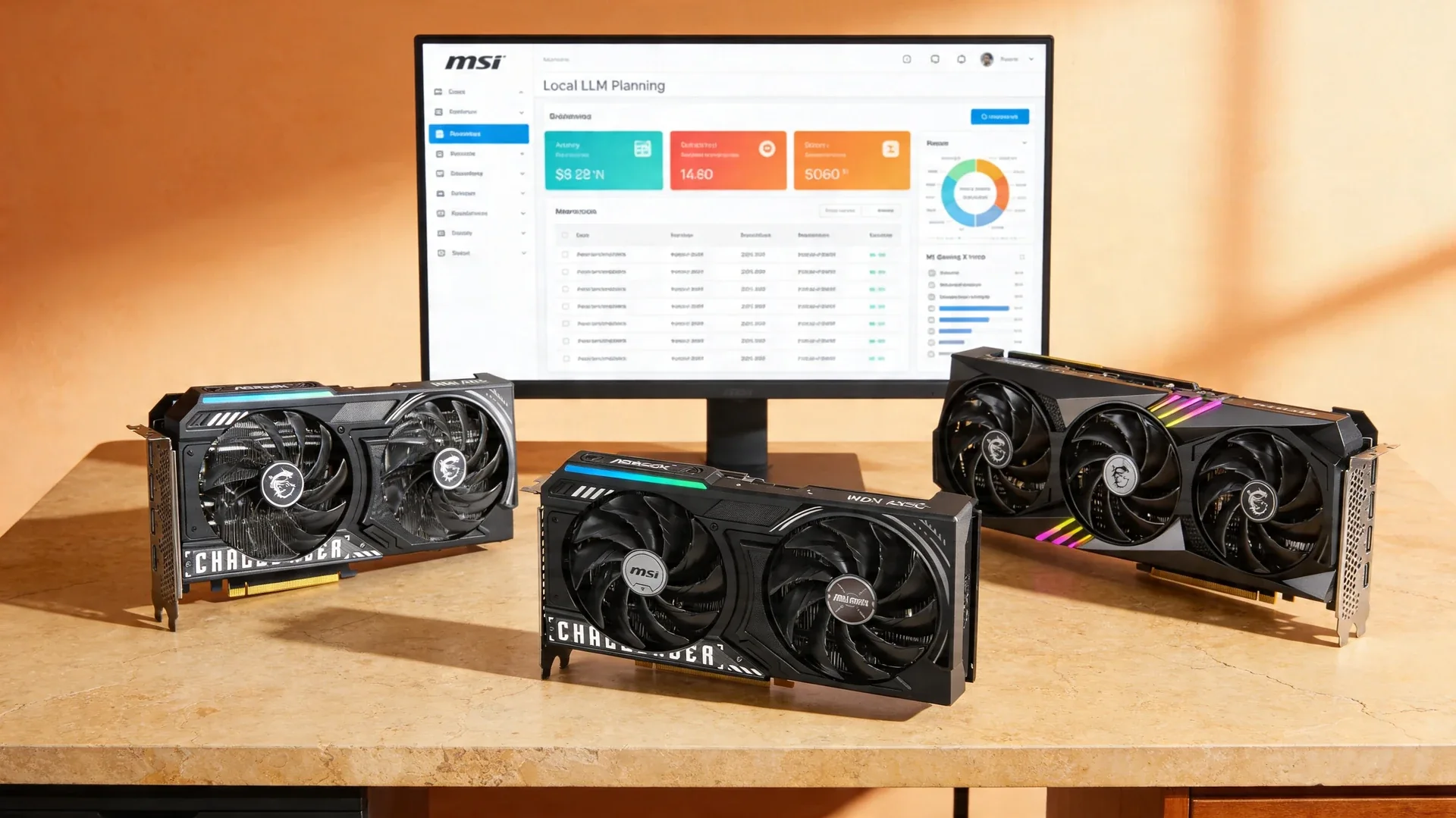
Current product picks
These are current Amazon listings for the GPUs discussed in this guide. Amazon pricing can move faster than the market, especially for discontinued and halo cards.
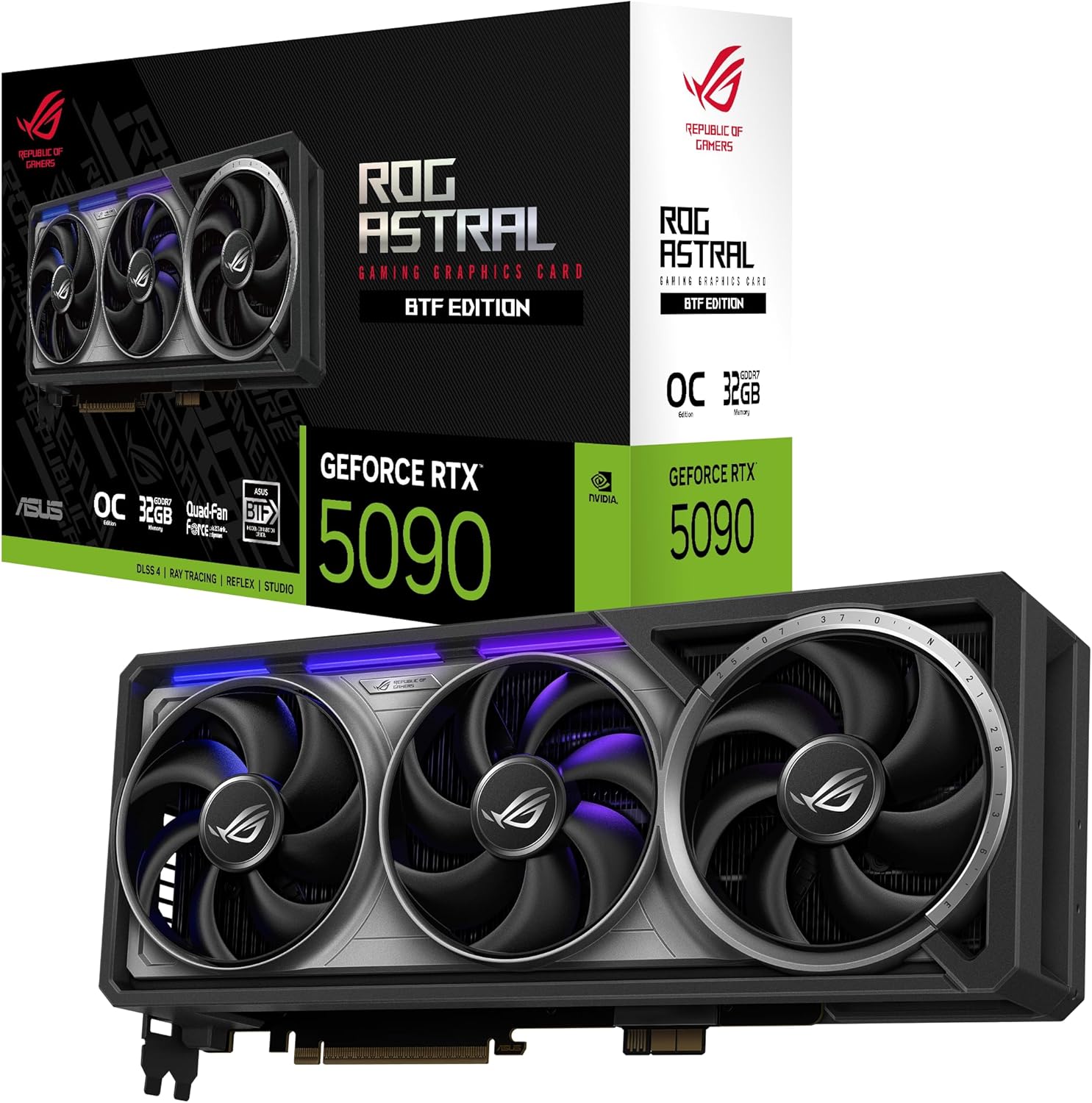
ASUS ROG Astral GeForce RTX 5090 BTF OC Edition
Fastest single-card option here; the linked listing was roughly $4,100-4,300 when checked 2026-07-11, far above MSRP.
- VRAM
- 32GB GDDR7
- Current listing
- ~$4,100-4,300
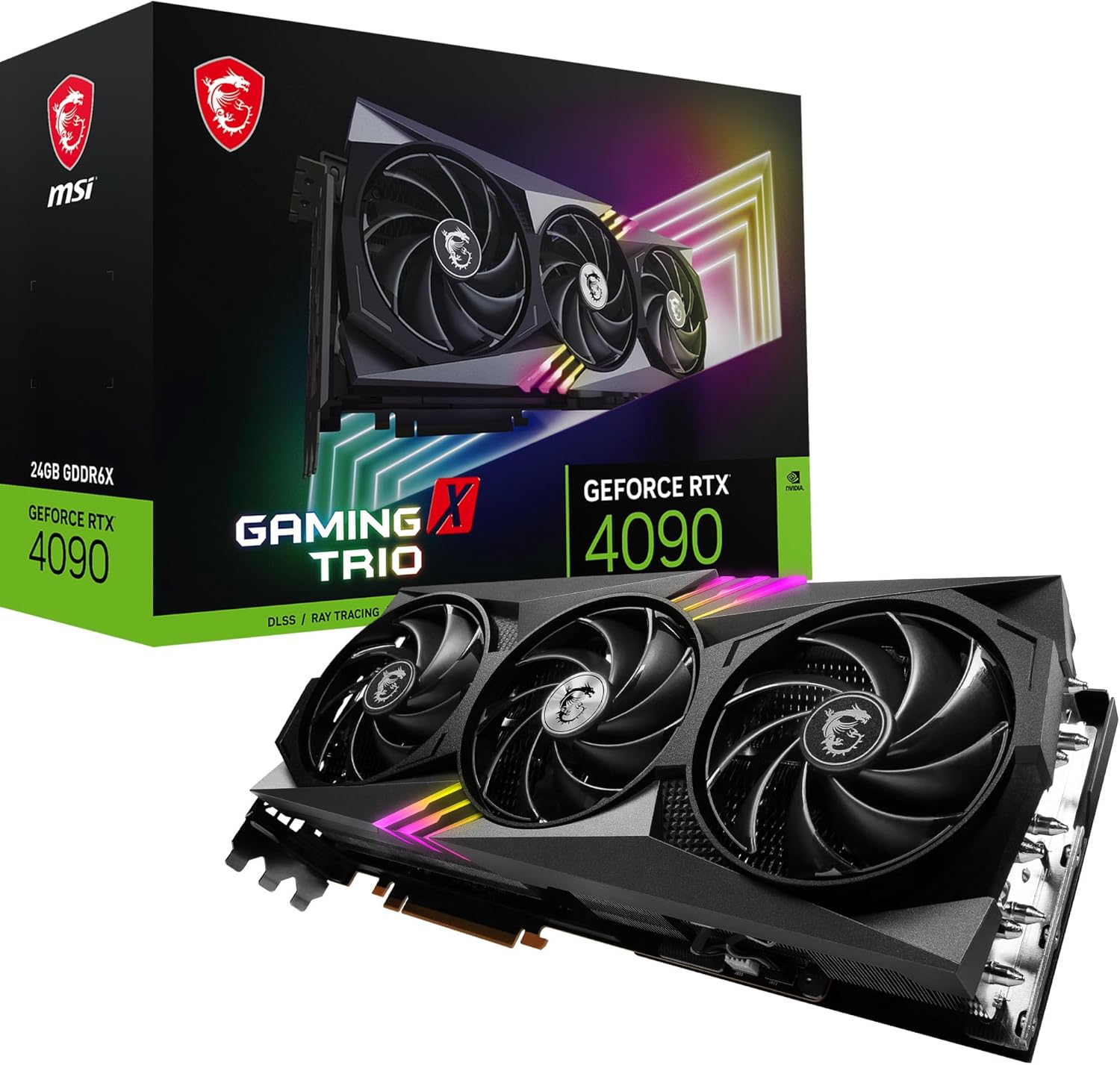
MSI GeForce RTX 4090 Gaming X Trio 24G
Still excellent for local AI, but current Amazon stock is priced like a collector card.
- VRAM
- 24GB GDDR6X
- Current listing
- ~$3,400-3,600
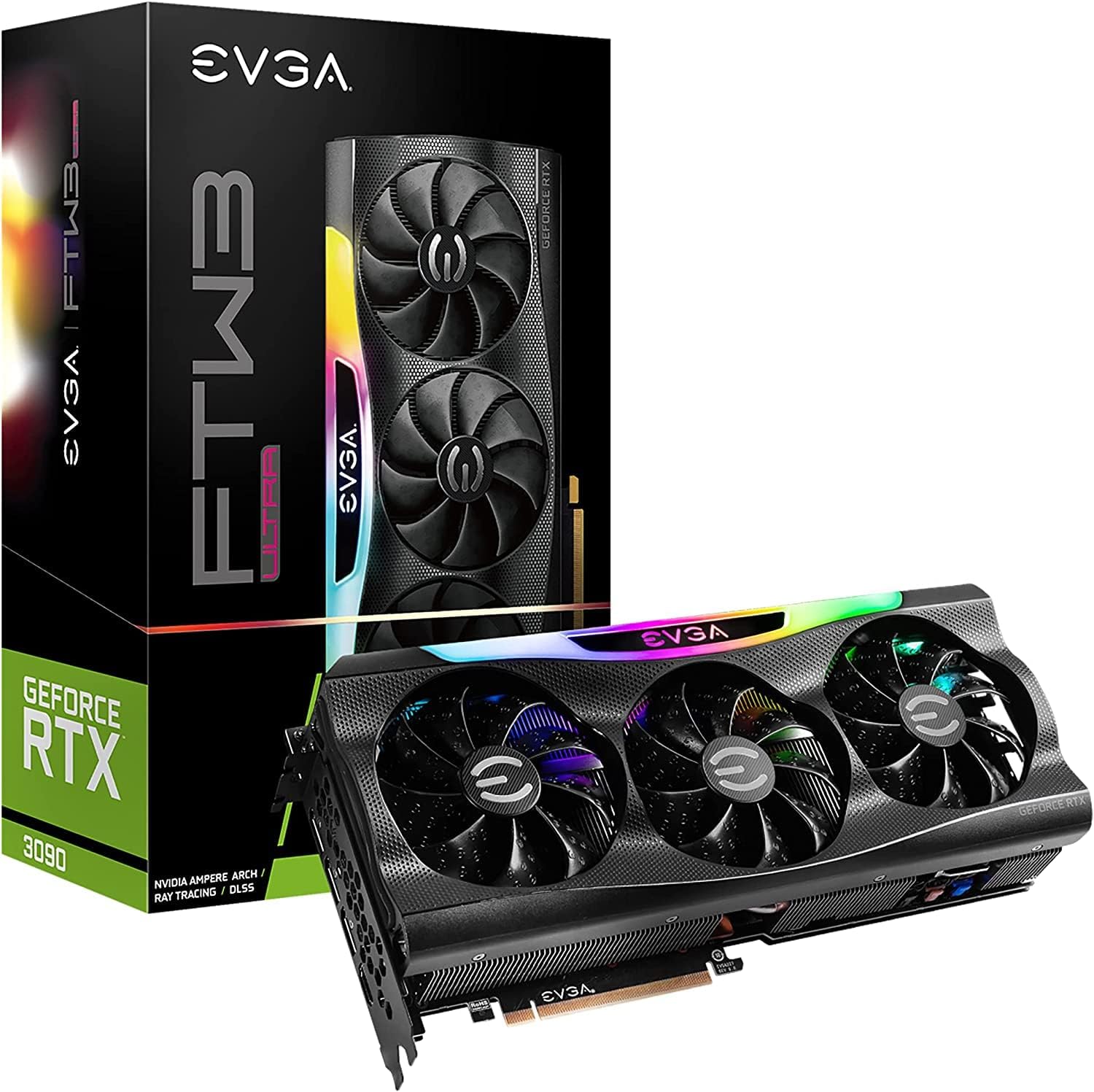
EVGA GeForce RTX 3090 FTW3 Ultra Gaming (Renewed)
Useful if you specifically want an Amazon-backed renewed listing instead of marketplace hunting.
- VRAM
- 24GB GDDR6X
- Current listing
- ~$1,500-1,700
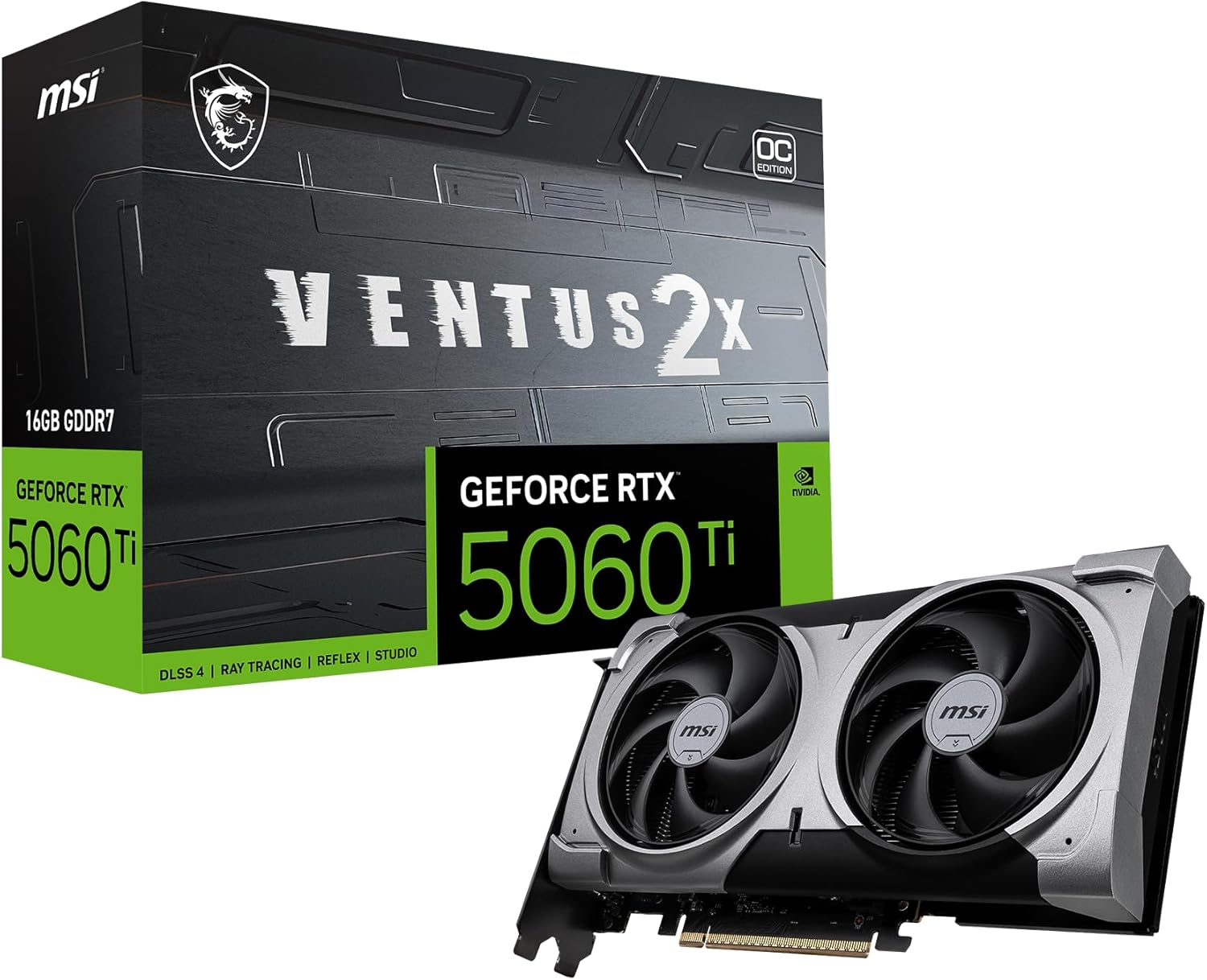
MSI RTX 5060 Ti 16G Ventus 2X OC Plus
A useful 16GB tier, but this exact linked SKU was out of stock when checked 2026-07-11.
- VRAM
- 16GB GDDR7
- Current listing
- Out of stock (checked 2026-07-11)
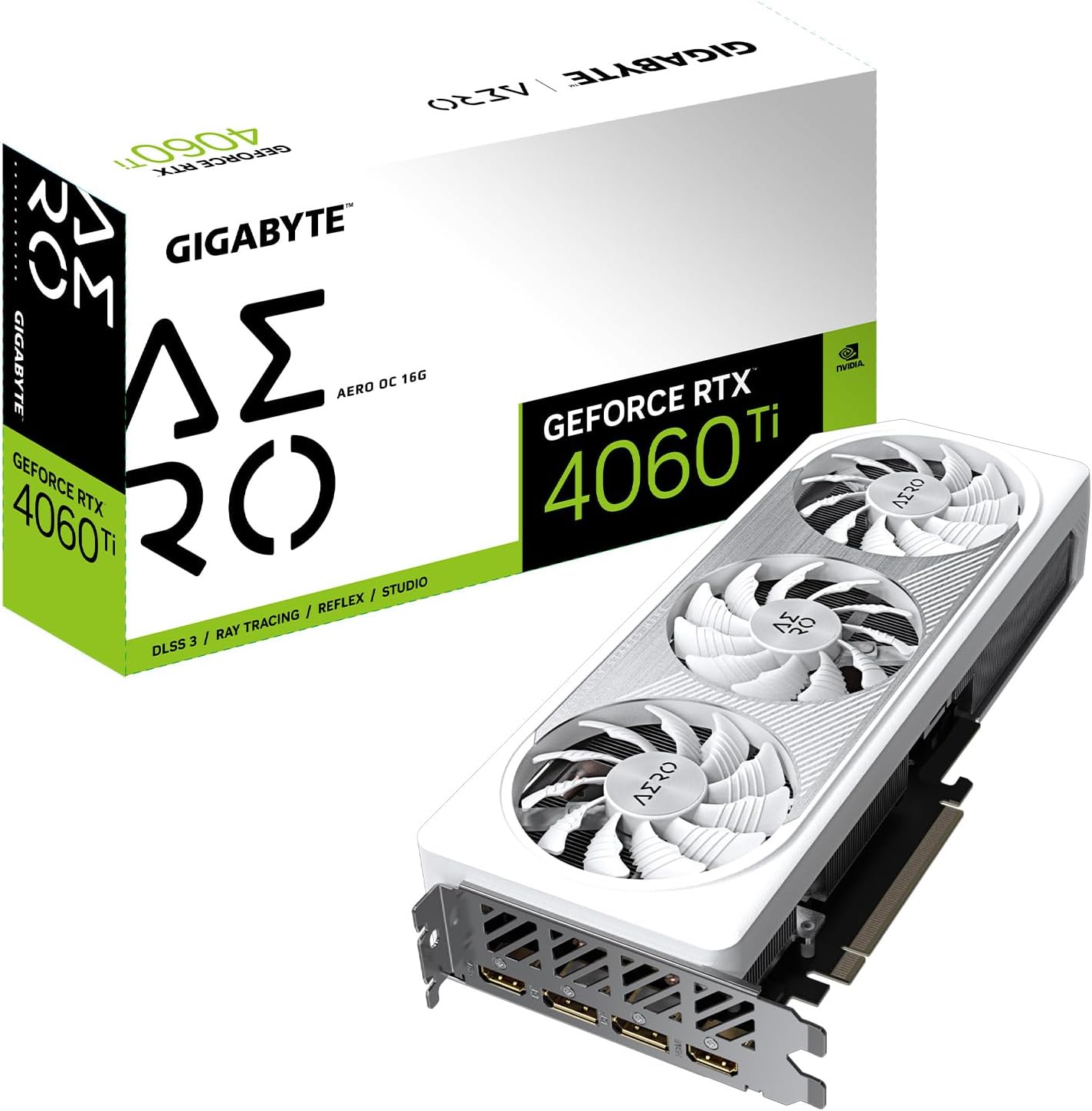
Gigabyte GeForce RTX 4060 Ti AERO OC 16G
A workable 16GB card, but current Amazon pricing makes it much harder to recommend than newer options.
- VRAM
- 16GB GDDR6
- Current listing
- ~$940
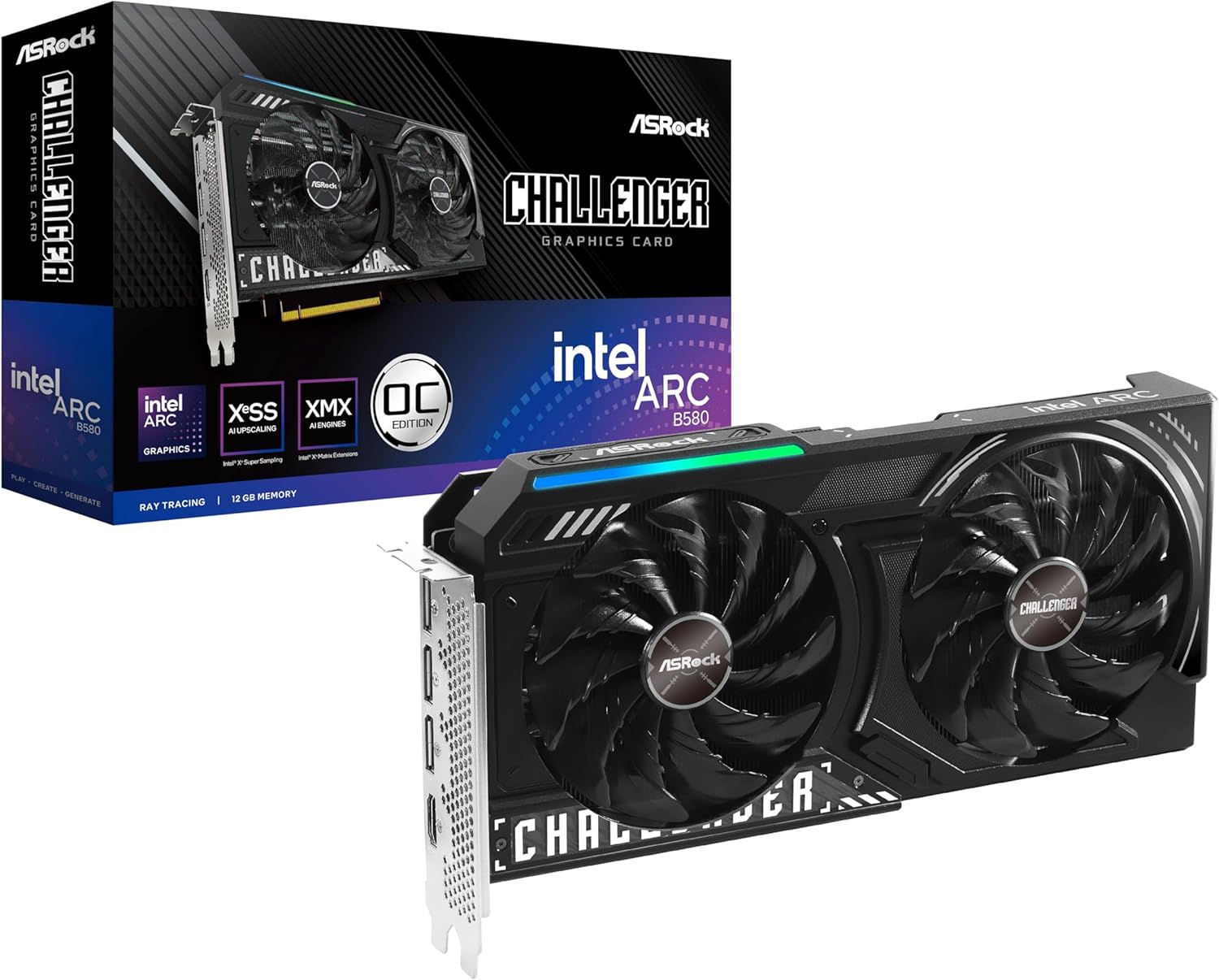
ASRock Intel Arc B580 Challenger 12GB OC
One of the few genuinely affordable 12GB local-AI GPU listings still worth checking.
- VRAM
- 12GB GDDR6
- Current listing
- ~$310
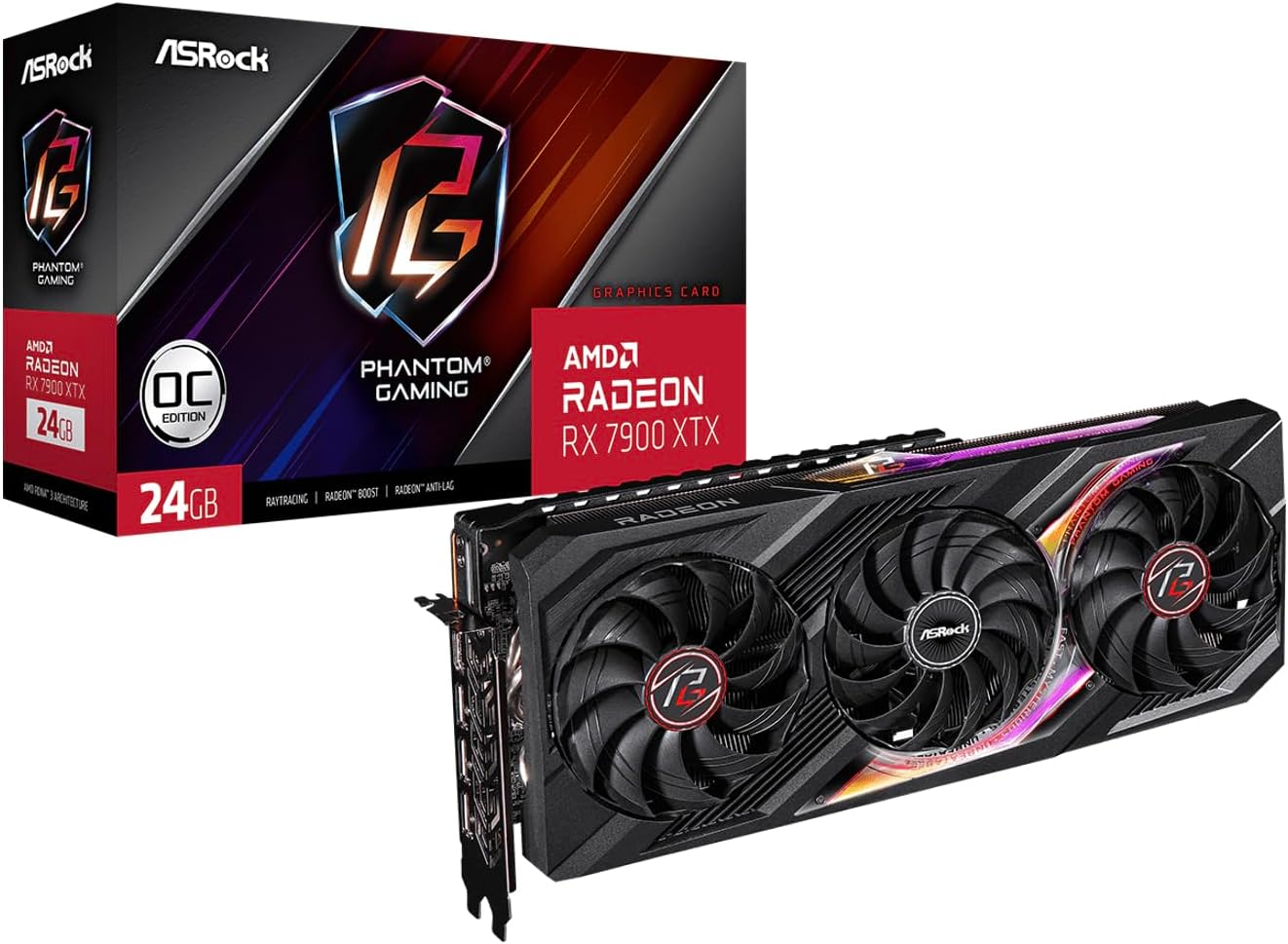
ASRock Phantom Gaming Radeon RX 7900 XTX 24GB OC
Best fit here for Linux-first builders who can accept ROCm friction in exchange for 24GB headroom.
- VRAM
- 24GB GDDR6
- Current listing
- ~$1,250-1,350
This post contains affiliate links. We may earn a small commission at no extra cost to you. Recommendations are based on verified specifications, current listings, sourced performance context, and the practical VRAM limits that decide local inference.
Quick answer
Buy a 16GB card (RTX 5060 Ti) for 7B–14B models, a 24GB card (used RTX 3090) for comfortable 30B-class work, and a 32GB RTX 5090 only if large-model headroom is part of your regular workflow. VRAM matters more than raw speed.
The best GPU for local LLMs is not the fastest card on paper. It is the card with enough VRAM for the models you actually want to run, acceptable power draw for your setup, and pricing that still makes sense in the current market. This guide ranks the options that still hold up in 2026 and tells you who should skip each one.
If you are not sure what model tier you need yet, check the VRAM requirements guide or the VRAM calculator first, then come back here to buy the right tier once the memory target is clear.
Quick Answer — Our Top Picks
| GPU | VRAM | Best For | Price | Our Verdict |
|---|---|---|---|---|
| RTX 5090 | 32GB GDDR7 | Maximum single-card headroom | ~$4,100-4,300 linked listing | Capable, but poor value at this listing |
| RTX 4090 | 24GB GDDR6X | Serious AI work, flagship speed | ~$3,400-3,600 | Fast, but scarce and pricey now |
| RTX 3090 renewed | 24GB GDDR6X | CUDA + 24GB on the used market | ~$1,500-1,700 | Best 24GB if you need CUDA |
| RTX 5060 Ti 16GB | 16GB GDDR7 | Mid-range, 7B-13B models | Exact SKU out of stock 2026-07-11 | Check another 16GB SKU |
| RTX 4060 Ti 16GB | 16GB GDDR6 | Budget new, 7B-13B models | ~$400-450 | Reliable budget option |
| Intel Arc B580 | 12GB GDDR6 | Entry-level, 7B models | ~$250 | Cheapest serious option |
| AMD RX 7900 XTX | 24GB GDDR6 | Cheapest new 24GB card (ROCm) | ~$1,350-1,450 | Best raw VRAM-per-dollar at 24GB |
Listings reviewed 2026-07-11 and move fast. The linked RTX 5090 was roughly $4,100-4,300 and the exact RTX 5060 Ti SKU was out of stock. The new RX 7900 XTX remained cheaper than the linked renewed RTX 3090 if ROCm fits your workflow. Confirm every checkout price.
GPU Value Finder
Find the best memory-per-dollar GPU for your budget and the model size you want to run. We rank the cards; you check the live price on Amazon before buying.
Ranked from an internal price snapshot reviewed 2026-07-11. GPU prices move fast, so always confirm the current listing before relying on the rank or budget filter.
| GPU | VRAM | Power | Comfortable for | Price |
|---|---|---|---|---|
| Intel Arc B580 Best value | 12GB | 150W | 7B to 8B models, with some 13B experimentation. | Check price on Amazon |
| Mac Studio M3 Ultra (512GB) | 512GB | 250W | Huge FP4 and INT4 planning envelopes, including models that would otherwise force multi-GPU Linux boxes. | Check price on Amazon |
| Mac Studio M3 Ultra (256GB) | 256GB | 230W | Large expert and MoE models at aggressive quantization, especially when you want a single compact system. | Check price on Amazon |
| Mac Studio M4 Max (128GB) | 128GB | 170W | 70B-class planning with far better efficiency than large discrete-GPU towers. | Check price on Amazon |
| Mac mini M4 Pro (64GB) | 64GB | 80W | 7B to 32B local models when you value efficiency, silence, and unified memory over peak throughput. | Check price on Amazon |
| AMD RX 7900 XTX | 24GB | 355W | 30B-class planning when the software stack cooperates. | Check price on Amazon |
| Radeon Pro W7900 | 48GB | 295W | 70B-class models with more room for longer contexts and lighter batching. | Check price on Amazon |
| RTX 3090 (used) | 24GB | 350W | 30B to 34B models, with 70B planning at aggressive quantization. | Check price on Amazon |
| RTX A6000 (used) | 48GB | 300W | 70B-class local models and more serious context-heavy inference planning. | Check price on Amazon |
| RTX PRO 6000 Blackwell | 96GB | 600W | 120B-class single-GPU planning and much more breathing room for long contexts. | Check price on Amazon |
| 2x RTX PRO 6000 Blackwell | 192GB | 1200W | Large 70B to 120B-class planning with room for heavier contexts and batching. | Check price on Amazon |
| 4x RTX PRO 6000 Blackwell | 384GB | 2400W | Deep frontier-model planning where single-card and dual-card systems are no longer enough. | Check price on Amazon |
| 8x RTX PRO 6000 Blackwell | 768GB | 4800W | DeepSeek V3 and similar ~685B families when they stay on FP8-style deployment tiers. | Check price on Amazon |
| RTX 5090 | 32GB | 575W | 30B to 70B planning with the most room for context and quality. | Check price on Amazon |
| RTX 6000 Ada | 48GB | 300W | 70B-class deployment with more headroom for heavier precision and longer sessions. | Check price on Amazon |
| RTX 4090 | 24GB | 450W | 30B to 34B models, with 70B work possible but constrained. | Check price on Amazon |
| 8x NVIDIA H200 SXM | 1128GB | 5600W | 1T-class models at 8-bit style planning levels, plus more room for contexts and runtime headroom. | Check price on Amazon |
| 8x NVIDIA B200 | 1440GB | 8000W | The escape hatch for trillion-parameter local plans that still exceed H200-class memory budgets. | Check price on Amazon |
Cards are ranked by memory capacity per dollar using the 2026-07-11 planning-price snapshot. This is not a live-price feed and it is not the same as speed: tokens-per-second depends on measured throughput, which the benchmark dataset covers as it grows. Power is board TDP, a planning ceiling for running cost.
"Check price on Amazon" links are affiliate links. We may earn a commission at no extra cost to you. We never show a stored price — the live price is always the one on Amazon.
Why VRAM Matters More Than Everything Else
Before diving into specific GPUs, you need to understand one fundamental truth about running LLMs locally: if your model doesn’t fit in VRAM, everything falls apart.
When you load an AI model, the entire set of parameters needs to sit in your GPU’s video memory. If it doesn’t fit, the system falls back to regular system RAM, which is 10-50x slower for this type of work. The difference between “fits in VRAM” and “doesn’t fit” is the difference between getting responses in 2 seconds versus 2 minutes.
Here’s the quick math:
- 7B parameter models such as Llama 3.3 8B and Mistral 7B need about 4-5GB at 4-bit quantization, so 8GB VRAM is the real minimum
- 13-14B models such as Qwen 2.5 14B and DeepSeek-R1 14B need about 8-9GB at 4-bit, so 12-16GB VRAM is the practical target
- 30-34B models such as Qwen 2.5 32B need about 18-20GB at 4-bit, so 24GB VRAM is where things get comfortable
- 70B models such as Llama 3 70B need about 35-40GB at 4-bit, so multi-GPU setups or heavier quantization are still required
For the complete VRAM reference table for every popular model, see our VRAM Requirements Guide.
How We Compare These GPUs
We evaluate every GPU on these criteria:
- VRAM capacity — what models can you actually run?
- Tokens per second — how fast does it generate responses?
- Power consumption — what does it cost to run 24/7?
- Price-to-performance — best bang for your buck?
- Software compatibility — does it work with Ollama, LM Studio, llama.cpp?
- Real-world usability — setup friction, noise/power expectations, and whether the card makes sense in a home rig
Throughput guidance references named third-party or community sources where used. First-party numbers will be labeled with a benchmark row once Max’s measured dataset is populated; until then, this guide does not publish invented tokens/sec results.
1. NVIDIA RTX 5090 — Best Overall Performance
VRAM: 32GB GDDR7 | Linked range: ~$4,100-4,300 | TDP: 575W
The RTX 5090 is the undisputed performance king for local AI in 2026. The 32GB of GDDR7 memory means you can run 30B models comfortably at high quantization, and even 70B models at aggressive Q4 quantization with room for a decent context window.
The 5th-generation Tensor Cores with native FP4 support represent a real architectural leap over the RTX 4090. In practical terms, this means faster token generation for quantized models — which is how almost everyone runs local LLMs.
Current Amazon listing
ASUS ROG Astral GeForce RTX 5090 BTF OC Edition
32GB GDDR7. This is the single-card ceiling for readers who want the most headroom and can tolerate halo-tier pricing.
View Amazon listingWhat you can run:
- 7B-8B models: Blazing fast (~120+ tokens/sec)
- 13-14B models: Extremely fast (~80+ tokens/sec)
- 30-34B models: Very comfortable with headroom for long context
- 70B models: Possible at aggressive Q4 quantization
Who should buy this: AI developers, ML engineers, and serious hobbyists who need 32GB on one card and can find a materially better offer than the linked halo-priced listing.
Who should skip this: Anyone on a budget, casual experimenters, and people who primarily use 7B-13B models. A 16GB tier is enough, but the exact RTX 5060 Ti SKU linked here was out of stock on 2026-07-11.
2. NVIDIA RTX 4090 — Capable but Collector-Priced
VRAM: 24GB GDDR6X | Linked range: ~$3,400-3,600 | TDP: 450W
The RTX 4090 was THE local AI GPU for 2024-2025, and it remains incredibly capable in 2026. With 24GB of VRAM, it handles the same model classes as the 5090 (minus the 32GB headroom), and the 4th-generation Tensor Cores still deliver excellent performance.
At the linked range, the RTX 4090 is poor value: it costs less than the linked 5090 but still provides only 24GB. It makes sense only as a materially cheaper used offer or when its speed has a measurable business value.
Current Amazon listing
MSI GeForce RTX 4090 Gaming X Trio 24G
24GB GDDR6X. This is still the easiest flagship to justify when you want 24GB class performance without paying full 5090 tax.
View Amazon listingWhat you can run:
- 7B-8B models: Very fast (~95+ tokens/sec)
- 13-14B models: Fast (~60+ tokens/sec)
- 30-34B models: Comfortable at Q4 quantization
- 70B models: Tight fit at Q3 quantization — workable but constrained
Who should buy this: Power users who want flagship performance without paying for the absolute latest generation. Especially good if you find one discounted after the 5090 launch.
3. NVIDIA RTX 3090 Renewed — 24GB CUDA Option
VRAM: 24GB GDDR6X | Renewed listing: ~$1,500–1,700 | TDP: 350W
The RTX 3090 remains relevant because it gives CUDA users 24GB of VRAM for 30B-class models. The linked renewed listing was roughly $1,500–1,700 when reviewed, so it is not an automatic value winner: compare it with the current RX 7900 XTX listing and private used offers.
The RTX 3090 runs about 70-80% of the RTX 4090’s token generation speed, which in practice means your responses take 3 seconds instead of 2 seconds. For interactive chat and coding assistance, that difference is barely noticeable.
The catch: You’re buying used hardware. Check the seller’s return policy, inspect for mining wear, and test thoroughly on arrival. Sustained mining use is usually less damaging than repeated heat cycling, but you still need to verify the card you receive.
What you can run: Essentially the same model tier as the RTX 4090 — 30B models comfortably, 70B models with aggressive quantization.
Who should buy this: CUDA users who need 24GB and prefer renewed return coverage over private-market hunting. Price-check it against new 24GB AMD cards before buying.
Current Amazon renewed listing
EVGA GeForce RTX 3090 FTW3 Ultra Gaming Renewed
24GB GDDR6X. This listing works best for readers who want Amazon-backed checkout instead of piecing together a used-market deal elsewhere.
View Amazon renewed listingSpecial note for multi-GPU: the RTX 3090 is the last consumer GeForce card with NVLink. Two cards provide 48GB of aggregate VRAM only when the runtime shards the model across them. NVLink improves inter-GPU transfers; it does not create one transparent 48GB device or eliminate software splitting.
See current Amazon renewed listing →
4. NVIDIA RTX 5060 Ti 16GB — Best New Mid-Range
VRAM: 16GB GDDR7 | Price: $429-$479 | TDP: 150W
The RTX 5060 Ti 16GB is the best entry point for anyone who wants a current-generation card for local AI. 16GB of VRAM handles 7B and 13B models comfortably, and you can squeeze 30B models in at aggressive quantization.
The 150W TDP makes this an excellent choice for an always-on AI server — it costs roughly $13/month in electricity at US average rates, compared to $40+/month for a 4090 running 24/7.
Critical warning: Do NOT buy the 8GB version of the RTX 5060 Ti. The 8GB variant looks like a bargain, but it severely limits what models you can run. Always get the 16GB version.
Current Amazon listing
MSI RTX 5060 Ti 16G Ventus 2X OC Plus
16GB GDDR7. This is the easiest mid-range recommendation when you want low power draw, current-gen support, and enough VRAM for daily local AI use.
View Amazon listingWhat you can run:
- 7B-8B models: Fast and comfortable
- 13-14B models: Good performance with headroom
- 30-34B models: Tight at Q4 — possible but constrained
5. Intel Arc B580 — Cheapest Serious Option
VRAM: 12GB GDDR6 | Price: $249 | TDP: 150W
The Intel Arc B580 is the surprise pick of 2026. At $249 with 12GB of VRAM, it’s the cheapest way to run 7B models at interactive speeds. The XMX engines deliver hardware-accelerated tensor operations, and llama.cpp + IPEX-LLM support has matured significantly.
Intel isn’t NVIDIA — you’ll spend more time setting up software and troubleshooting. But for students, hobbyists, and anyone exploring local AI for the first time, $249 for 12GB of VRAM is remarkable value.
Current Amazon listing
ASRock Intel Arc B580 Challenger 12GB OC
12GB GDDR6. This is the lowest-cost listing in the guide that still makes sense for serious 7B-class local inference.
View Amazon listingWhat you can run:
- 7B-8B models: Good performance (~60+ tokens/sec with IPEX-LLM)
- 13B models: Possible at aggressive quantization
- 30B+ models: No
For Ollama Specifically
Ollama does not change the core buying rule: buy enough VRAM for the model tier you actually plan to use. It does change the friction calculation. If you want the smoothest dedicated-GPU Ollama box, NVIDIA is still the easiest path because the CUDA setup is the best-supported path across Windows and Linux.
The practical Ollama tiers are:
- 16GB RTX 5060 Ti for 7B-14B models, daily chat, and low-power always-on use
- 24GB used RTX 3090 for bigger 30B-class experiments and more context headroom
- 32GB RTX 5090 only when you have a concrete need for maximum single-card headroom
AMD and Apple Silicon can both work with Ollama-adjacent local workflows, but they are not the lowest-friction recommendation for a reader buying a discrete GPU specifically to run Ollama. If your main goal is learning or casual use, start with the 16GB tier. If your main goal is larger models, 24GB is the first meaningful upgrade.
For AI Coding and Local Coding Assistants
Coding assistants are more VRAM-hungry than casual chat because the prompt often includes open files, related modules, diffs, error logs, and tool output. The model itself is only one part of the footprint; context and KV cache are what make a card that felt fine for chat suddenly feel cramped.
For local coding, the recommendation shifts slightly:
- 16GB is good for autocomplete, single-file help, and 14B-class coding models.
- 24GB is the real target for agentic, multi-file work with 30B-class coding models.
- 32GB buys long-context headroom and room for heavier workflows, but most developers do not need to start there.
That is why the used RTX 3090 remains unusually strong for coding: 24GB matters more than owning the newest card. A 16GB RTX 5060 Ti is the sane new-card option for lightweight coding help, while the RTX 5090 is only justified if your local assistant regularly needs large models, long context, or multiple workloads at once.
Common Mistakes: GPUs to Avoid
Save yourself the regret:
- Any GPU with 8GB VRAM or less — Even 7B models barely fit, with no room for context. The RTX 4060 8GB, RTX 3060 Ti 8GB, and all GTX 16-series cards are too limited.
- RTX 5060 Ti 8GB / RTX 4060 Ti 8GB — The 8GB variants of otherwise good cards. The small savings isn’t worth halving your capability.
- Old AMD consumer GPUs (RX 6000 series) — ROCm support for RDNA 2 is spotty and requires significant workarounds.
- Laptop GPUs for serious work — 30-50% slower than desktop equivalents and thermal-throttle during sustained AI workloads.
Frequently Asked Questions
Do I need a high-end CPU for local LLMs?
No. Once the model loads into VRAM, the GPU does 95%+ of the work. A modest CPU like a Ryzen 5 or Intel i5 is perfectly fine. Invest your budget in GPU VRAM, not CPU cores.
How much system RAM do I need?
32GB minimum, 64GB recommended. System RAM acts as a buffer during model loading and can supplement VRAM through CPU offloading for very large models.
Can I use my gaming GPU for AI?
Yes. Most gaming GPUs work well for AI inference — the same CUDA cores and VRAM that render games also process AI models. The RTX 4090 is simultaneously the best gaming GPU and one of the best AI GPUs.
NVIDIA or AMD for local AI?
NVIDIA is the safer choice. CUDA has near-universal software support. AMD’s ROCm has improved significantly in 2026, but you’ll still encounter occasional compatibility issues. If you’re comfortable with Linux and troubleshooting, AMD offers excellent VRAM-per-dollar.
Is it cheaper to run AI locally than pay for ChatGPT?
At current hardware prices, a local setup breaks even against continuous cloud API usage in approximately 6-12 months. After that, your local AI is essentially free.
Last updated: April 2026. Specs and pricing reflect published product data and Amazon listings at time of publication and may vary. Throughput context references named third-party or community sources where used; we do not publish invented benchmark numbers.