Best Budget GPU for Local AI in 2026
The best cheap GPUs for local AI right now, by spend level: what to buy under $300, under $500, and when a used RTX 3090 still changes the math.
📋 This article contains affiliate links. We may earn a small commission at no extra cost to you.
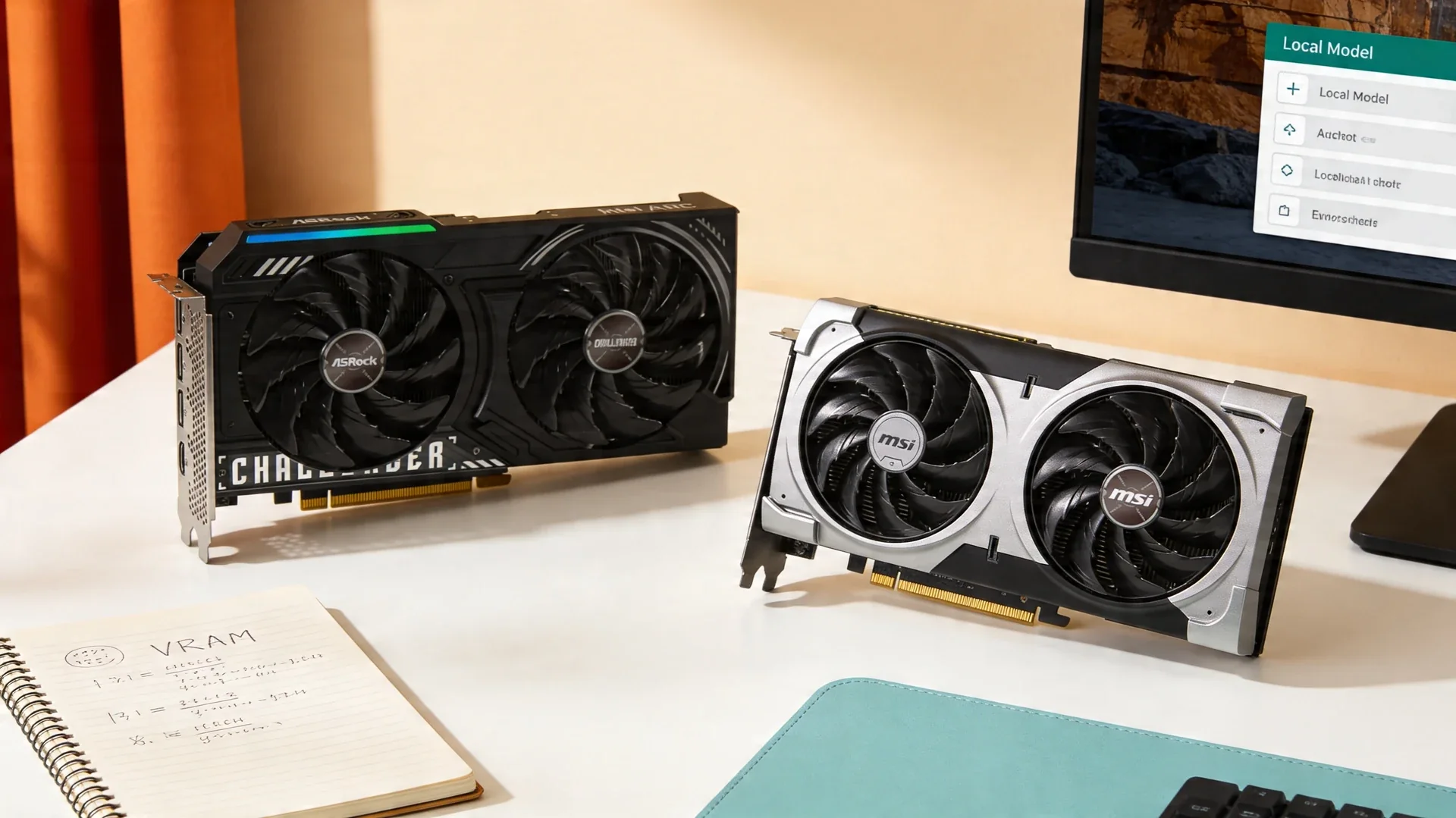
Current product picks
These are current Amazon listings for the GPUs discussed in this guide. Amazon pricing can move faster than the market, especially for discontinued and halo cards.
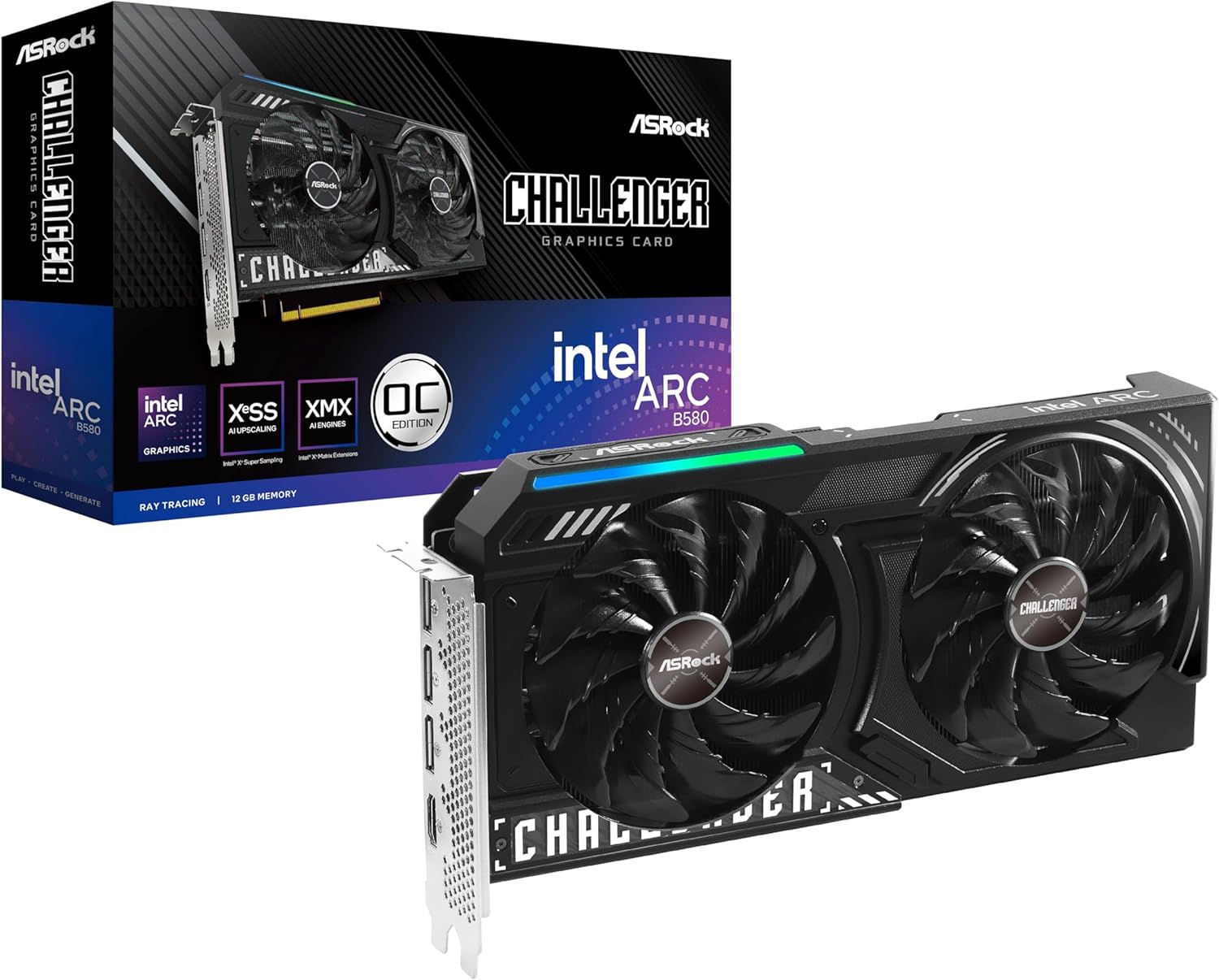
ASRock Intel Arc B580 Challenger 12GB OC
The cleanest true-budget pick because it gives you 12GB VRAM without forcing you into the used market.
- VRAM
- 12GB GDDR6
- Current listing
- ~$310
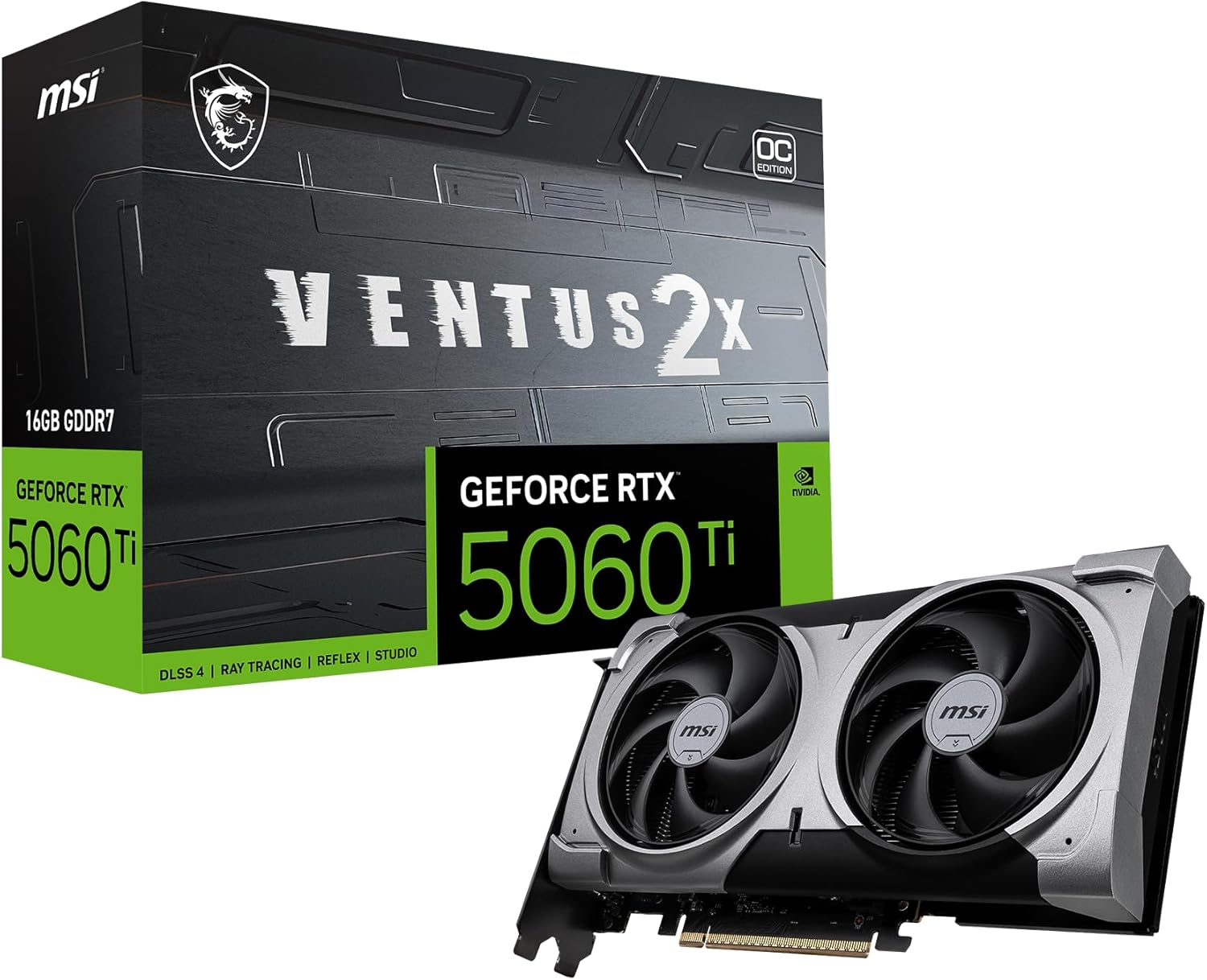
MSI RTX 5060 Ti 16G Ventus 2X OC Plus
A stronger long-term tier than 12GB, but this exact linked SKU was out of stock when checked 2026-07-11.
- VRAM
- 16GB GDDR7
- Current listing
- Out of stock (checked 2026-07-11)
This post contains affiliate links. We may earn a small commission at no extra cost to you. All recommendations are based on our own research and product validation workflow.
Quick answer
The best budget GPU for local AI is the Intel Arc B580 (12GB, ~$249–309) for 7B models. Stretch to a 16GB RTX 5060 Ti if 14B models matter, or a used RTX 3090 (24GB) if you buy used. 12GB is the floor; 16GB is the comfortable budget pick.
The best budget GPU for local AI is not the one with the loudest marketing or the highest gaming frame rate. It is the one that gives you enough VRAM to keep useful models on the card without forcing you to overspend on a flagship you do not need.
Right now, that usually means one of two paths. If you want a genuinely affordable new GPU, the Intel Arc B580 is the best budget answer. If you can stretch beyond pure budget territory and want a cleaner long-term buy, a 16GB card such as the RTX 5060 Ti 16GB is much easier to live with. If you are open to used hardware, a well-priced RTX 3090 is still the value disruptor because 24GB changes what you can run.
If you want the broader market view, start with our complete local LLM GPU guide. If you want the model-fit math first, read our VRAM requirements guide.
Quick Answer
The best budget GPU for local AI in 2026 is the Intel Arc B580 for most new buyers because it gives you 12GB of VRAM, a real path to running 7B and 14B-class models, and it does that without asking you to gamble on used-market condition.
If your budget can bend upward and you want a card you are less likely to outgrow quickly, the RTX 5060 Ti 16GB is the smarter stretch buy. If you are comfortable inspecting used hardware, the RTX 3090 is still the best value jump because 24GB opens a completely different class of local AI workloads.
| Budget lane | Best pick | Why it wins | Main catch |
|---|---|---|---|
| New and cheap | Intel Arc B580 | 12GB VRAM at a real entry price | More software friction than NVIDIA |
| New and safer long-term | RTX 5060 Ti 16GB | 16GB VRAM and mainstream CUDA path | Only worth it when pricing stays sane |
| Used and highest value | RTX 3090 24GB | Massive VRAM-per-dollar advantage | Used-market risk and high power draw |
What Matters Most On A Budget
Cheap local-AI builds fail for predictable reasons.
1. VRAM matters more than gaming reputation
A budget GPU that looks strong in gaming can still be a bad local-AI buy if it only has 8GB. That is why so many seemingly attractive mid-range cards become frustrating once you move past smaller 7B-class models.
Budget buyers should think in tiers:
- 8GB is survival mode.
- 12GB is the first tier that feels serious.
- 16GB is where the machine starts to feel less disposable.
- 24GB is where the used market becomes strategically interesting.
2. You are buying a software path, not only a PCB
For local AI, the card is only half the purchase. The rest is the stack around it: Ollama, LM Studio, llama.cpp, driver quality, quantized model support, and how much setup friction you can tolerate.
That is why a weaker NVIDIA card can still be easier to recommend than a technically interesting alternative. The software path matters.
3. Power and noise still count on cheap systems
Budget builds often use older PSUs, compact cases, and whatever airflow the owner already has. A 150W to 190W card is much easier to drop into a normal machine than a 350W used flagship with unknown thermal-pad history.
The Two Budget Bands: Under $300 And Under $500
Most budget buyers arrive with a hard number in mind. The two numbers that come up are $300 and $500, and they behave very differently.
Under $300: one card, and it is not close
Below $300 you are not choosing among lots of good options. You are trying to avoid the least useful compromises. The band is defined by three truths:
- 8GB gets cramped quickly.
- Used hardware can be good value, but condition risk matters a lot.
- The first new card that feels genuinely AI-aware is the Arc B580, because it brings 12GB instead of asking you to pretend 8GB is generous.
A clean used RTX 3060 12GB at a strong local price can also work here. But that depends heavily on seller behaviour, cooling condition, and whether the price is low enough to justify the age. The B580 removes most of that uncertainty, which is why it stays the simpler recommendation.
Under $500: mostly a VRAM contest
The under-$500 market is full of cards that look fine until you ask them to run modern models with reasonable context windows. This band is more about avoiding mistakes than chasing peak value. The main traps:
- Buying 8GB because it seems cheaper now.
- Paying inflated launch or reseller pricing for a mid-range card.
- Assuming gaming performance maps cleanly to local-AI usefulness.
At this ceiling the RTX 5060 Ti 16GB becomes reachable when pricing behaves, and 16GB is the first tier where the machine stops feeling disposable.
When the listing drifts above your cap
This is the uncomfortable part of any price-capped advice: sometimes the best product is still the best product, but today’s listing has drifted above the number you had in mind.
Do not panic-buy the wrong thing. Your better options are to wait for normal pricing to return, look for a clean used 12GB card locally, or intentionally raise the budget and move to a stronger long-term card.
The wrong move is buying a new 8GB card just because it technically fits the budget today.
Best Pick For Most Readers: Intel Arc B580
Intel prices the Arc B580 at a $249 recommended customer price, and the card brings 12GB of GDDR6, a 192-bit memory bus, and 456 GB/s of bandwidth. That matters because it means the cheapest serious local-AI card is no longer locked to 8GB compromises.
For a budget buyer, the B580 is attractive for three reasons:
- 12GB is enough to keep common 7B and many 14B-class quantized models on the GPU.
- You can buy it new instead of inheriting someone else’s thermal history.
- It makes more sense than paying similar money for an older 8GB card with a worse upgrade path.
Best true-budget current pick
ASRock Intel Arc B580 Challenger 12GB OC
12GB GDDR6 and a real budget price band. This is the easiest cheap new card to recommend when your first priority is keeping more useful models in VRAM.
View Amazon listingWho should buy it:
- readers building their first local-AI box
- buyers who refuse to spend flagship money
- people focused on 7B, 8B, and lighter 14B use cases
Who should skip it:
- buyers who want the smoothest Ollama path possible
- readers who already know they will want 24GB-class workloads
- anyone who treats setup friction as a deal-breaker
Best Stretch Buy: RTX 5060 Ti 16GB
The RTX 5060 Ti 16GB is the budget-adjacent card that makes the most sense when you care about longevity. NVIDIA lists the 5060 Ti family starting at $379, and the 16GB version gives you a much healthier ceiling for local AI than the 8GB tier ever will.
This is the card I would tell a cautious buyer to watch if they want:
- CUDA support instead of experimenting with a less mature path
- 16GB of headroom for 14B-class models and more comfortable context sizes
- lower power draw than a used flagship
- a new card with warranty instead of a used-market gamble
Better long-term buy
MSI RTX 5060 Ti 16G Ventus 2X OC Plus
16GB GDDR7 and a much safer software path than most budget alternatives. Buy it near MSRP, not after a hype-driven price spike.
View Amazon listingThe catch is simple: this stops being a budget recommendation the moment partner pricing floats too high. If the real purchase price is well above the intended mid-range band, the whole point disappears.
The Used Value Option: RTX 3090
If your definition of budget means “maximum capability per dollar” rather than “lowest upfront spend,” the used RTX 3090 is still the card that changes everything.
The reason is not subtle. It has 24GB of GDDR6X VRAM. That means workloads that feel cramped on 12GB or 16GB suddenly become practical. It also remains the last consumer GeForce card with NVLink support, which matters to a specific kind of multi-GPU tinkerer.
But this is not the universal budget answer.
You should only go used 3090 if:
- you can inspect the card or buy from a seller with strong return terms
- your case, PSU, and airflow are ready for a 350W-class card
- you understand that a cheap used price can hide cooling or memory issues
If that sounds like your lane, read our used GPU guide.
Who Should Buy What
Buy the Arc B580 if you want the cheapest new GPU that still makes sense for real local AI.
Buy the RTX 5060 Ti 16GB if you can stretch your budget and want a card that feels safer, more flexible, and easier to keep for longer.
Buy a used RTX 3090 only if you are comfortable with used-market risk and your real goal is jumping to 24GB without paying current flagship pricing.
Common Budget Mistakes
Buying 8GB because the gaming numbers look good
This is the most common budget mistake. A card can be excellent for games and still be a poor local-AI buy. It barely fits 7B models with no headroom. 12GB is the floor.
Falling for the 8GB variant of a good card
The small saving halves your capability. If the card comes in 8GB and 16GB flavours and local AI is why you are shopping, take the 16GB version.
Overpaying for “cheap” new stock
Budget pages become useless when they pretend a temporarily inflated listing is normal. If a card is sitting far above its sane street position, wait.
Ignoring power on an always-on box
A 150W card costs far less to run 24/7 than a 350W used flagship. If the machine never sleeps, that gap compounds.
Ignoring the rest of the system
Budget builds still need RAM, storage, airflow, and a PSU that matches the card. A cheap GPU can become expensive fast if it forces a chain of upgrades. If you are starting from nothing, read the budget local-AI PC build for the full parts list.
Frequently Asked Questions
Is the Intel Arc B580 better than an 8GB NVIDIA card for local AI?
Usually yes. For local AI, 12GB is often more useful than a faster 8GB gaming card because it keeps more models entirely on the GPU.
Should I buy the 8GB version of the RTX 5060 Ti?
No. If local AI is the reason you are shopping, the 8GB version is the wrong card. The 16GB model is the one worth considering.
Is a used RTX 3090 still worth it in 2026?
Yes, but only when condition and pricing are right. It is still the cleanest way to buy 24GB without paying flagship money, but the inspection risk is real. The used-GPU buying guide covers what to inspect.
Can I do coding or image work on a sub-$300 GPU?
You can, within limits. 12GB handles 7B-class coding assistants and most Stable Diffusion work. Larger context windows and 14B-class models are where the band runs out.
Should I stretch above $300 if I can?
If the extra spend gets you from 12GB to 16GB, usually yes — that is the tier where the card stops feeling disposable. Stretching to buy a faster 8GB card is the wrong trade.
What should I read next?
If 24GB is the real goal, read the under-$1,000 guide, where the RTX 3090 and RX 7900 XTX change what you can run. Size the model first with the VRAM requirements guide and the VRAM calculator. If you are shopping around Ollama specifically, use the Ollama section in the local LLM GPU hub.