RTX 5060 Ti 16GB for Local AI Review
A practical review of the RTX 5060 Ti 16GB for local LLMs: current-gen 16GB at ~150W, where the 128-bit bus shows, and who should buy it over a used 3090.
This article contains affiliate links. We may earn a small commission at no extra cost to you.
What it gets right
- 16GB of current-gen GDDR7 at a mainstream price
- About 150W draw — ideal for a quiet, cheap always-on rig
- Full CUDA support with zero software friction
- Comfortable for 7B-14B models and image generation
Where it falls short
- 128-bit memory bus limits bandwidth versus wider cards
- Not enough VRAM for 30B-class models
- The 8GB variant is a trap — only the 16GB is worth it
- Stock is intermittent, and listings sometimes run above MSRP
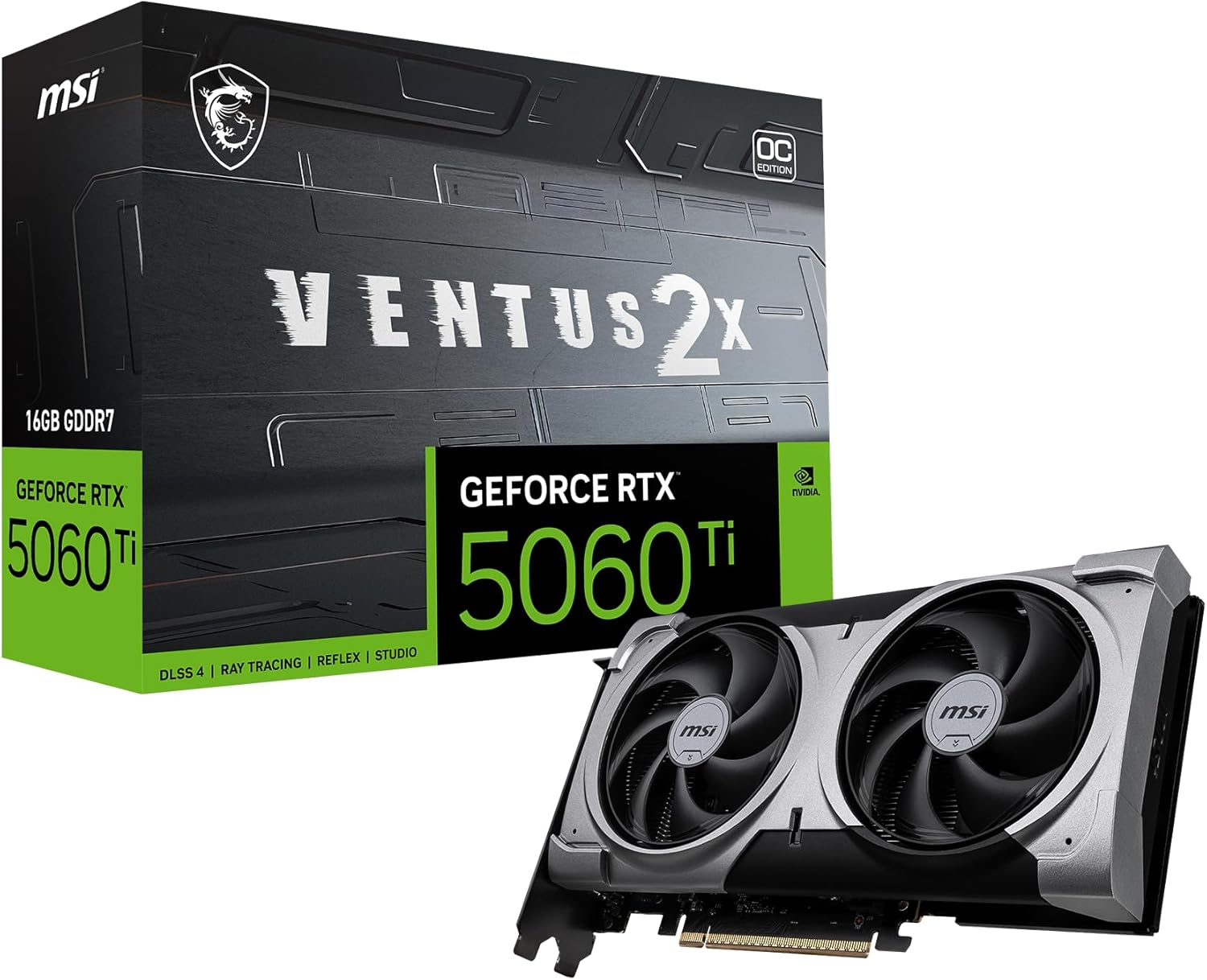
Where to buy this GPU
This is the current Amazon listing we validated for this review. For older or niche GPUs, Amazon availability and pricing can drift above the broader market.
- VRAM
- 16GB GDDR7
- Current listing
- Out of stock (checked 2026-07-11)
This article contains affiliate links. We may earn a small commission at no extra cost to you. Specs are verified against the product listing and NVIDIA reference data.
Quick verdict
The RTX 5060 Ti 16GB tier is a strong low-power fit for 7B–14B local models, but the exact linked MSI SKU was out of stock when checked 2026-07-11. Use this review for the capability tradeoff, then verify an available 16GB SKU and current checkout price. Never substitute the 8GB version.
The RTX 5060 Ti 16GB is the card most people building a first local AI box should actually consider. It is current-generation, has enough VRAM for the models most people run, and sips power compared with the older 24GB cards. This review is about where it shines and where its one real limitation shows.
Quick Verdict
If your models are 7B–14B and you want a quiet, efficient box you can leave running, the 5060 Ti 16GB is the sensible default. The 16GB of VRAM covers the popular model tier and image generation, the ~150W draw keeps the electricity bill and noise down, and CUDA means everything just works. It is not a performance flagship — the narrow memory bus and 16GB ceiling see to that — but it is the right amount of card for the right buyer.
Specs That Matter For Local AI
| Spec | RTX 5060 Ti 16GB |
|---|---|
| VRAM | 16GB GDDR7 |
| Memory bus | 128-bit |
| Memory bandwidth | ~448 GB/s |
| TDP | ~150W |
| Architecture | Blackwell (RTX 50-series) |
| Interface | PCIe 5.0 |
The standout numbers are 16GB of VRAM (what fits) and ~150W (what it costs to run). The asterisk is the 128-bit memory bus: GDDR7 helps, but a narrow bus caps memory bandwidth at roughly 448 GB/s — well below wider cards like the 3090’s ~936 GB/s. For local inference, bandwidth affects generation speed, so the 5060 Ti is efficient and capable rather than fast.
Real Fit And Limits
- 7B–8B models: Fast and comfortable, with room for long context. This is the card’s home.
- 13–14B models: Good performance with headroom — the practical upper limit where it feels great.
- 30–34B models: No. A 32B model needs ~18–20GB at Q4; 16GB cannot hold it without spilling to system RAM. If you want this tier, you want 24GB.
- Image generation: Comfortable for SDXL and FLUX; 16GB is enough for most local image work.
The honest framing: the 5060 Ti 16GB is a 7B–14B card, and an excellent one. The 128-bit bus means it is not the fastest 16GB option ever made, but in interactive use that matters far less than the fact that your model fits and the box stays quiet and cheap to run.
Power, Thermals, Noise, And Upgrades
This is where the 5060 Ti earns its place. At ~150W it runs cool and quiet, needs only a modest PSU, and costs roughly a third of what a 350W card costs to run 24/7 (check the electricity cost calculator). For an always-on home AI server, that efficiency is a real feature, not a footnote. The upgrade path, if you outgrow 16GB, is a 24GB card — a used RTX 3090 is the cheapest route.
Pros And Cons
The cards above sum it up: 16GB current-gen GDDR7, low power, and zero CUDA friction, against a bandwidth-limiting 128-bit bus and a 16GB ceiling that rules out 30B models. One more warning worth repeating: do not buy the 8GB version of the 5060 Ti. The small saving cripples it for local AI — only the 16GB card belongs in this conversation.
Who Should Buy It
- Buy it if you run 7B–14B models, want a low-power, quiet, current-gen card, and value CUDA’s zero-friction support. It is the easiest mainstream local AI GPU to recommend.
- Skip it if you want 30B-class models or long-context headroom (get 24GB — a used RTX 3090), or if you are tempted by the cheaper 8GB variant (don’t).
Best low-power 16GB
MSI RTX 5060 Ti 16G Ventus 2X OC Plus
Current-gen 16GB GDDR7 at ~150W — the easy pick for 7B–14B models. Compare tiers in 16GB vs 24GB VRAM.
View Amazon listingFrequently Asked Questions
Is the RTX 5060 Ti 16GB good for local AI?
Yes, for 7B–14B models and image generation. Its 16GB of GDDR7 and ~150W draw make it the best low-power, current-generation pick. It is not for 30B-class models, and its 128-bit bus limits bandwidth versus wider cards.
Why does the 128-bit memory bus matter?
Memory bandwidth affects how fast tokens generate. The 5060 Ti’s 128-bit bus caps bandwidth at roughly 448 GB/s — fine for interactive use, but below wider cards. You feel it most on larger models and heavy batch work, less in everyday chat.
Should I buy the 8GB or 16GB RTX 5060 Ti?
Always the 16GB. The 8GB version is a trap for local AI — it barely fits 7B models with no context headroom. The extra VRAM on the 16GB card is the entire reason to buy it.
RTX 5060 Ti 16GB or used RTX 3090?
The 5060 Ti for low power, current-gen support, and 7B–14B models. The used 3090 for 24GB of VRAM and 30B-class models, at higher power draw and used-market risk. It comes down to whether you need more than 16GB.
Can the RTX 5060 Ti run 30B models?
Not well. A 32B model at Q4 needs ~18–20GB, which exceeds 16GB once context is added, so it spills to system RAM and slows badly. For 30B-class models, choose a 24GB card.
Last updated: May 2026. Specs verified against the product listing and NVIDIA reference data; prices reflect current Amazon listing context and move with stock. Performance characteristics reference published specifications, not invented benchmarks.