AMD RX 7900 XTX for Local AI Review
A practical review of the Radeon RX 7900 XTX for local LLMs: 24GB of VRAM at AMD prices, the real ROCm experience in 2026, and who should actually buy it.
This article contains affiliate links. We may earn a small commission at no extra cost to you.
What it gets right
- 24GB of VRAM for less than NVIDIA charges for the same capacity
- Strong inference speed — roughly 75% of an RTX 4090 in community tests
- llama.cpp's native HIP backend makes GGUF inference reliable
- A genuine 24GB option for Linux-first local AI builders
Where it falls short
- ROCm setup is harder than NVIDIA's plug-and-play CUDA
- Windows-native support still lags behind Linux
- Image/video generation and the newest tools are CUDA-first
- Amazon listings run well above street pricing
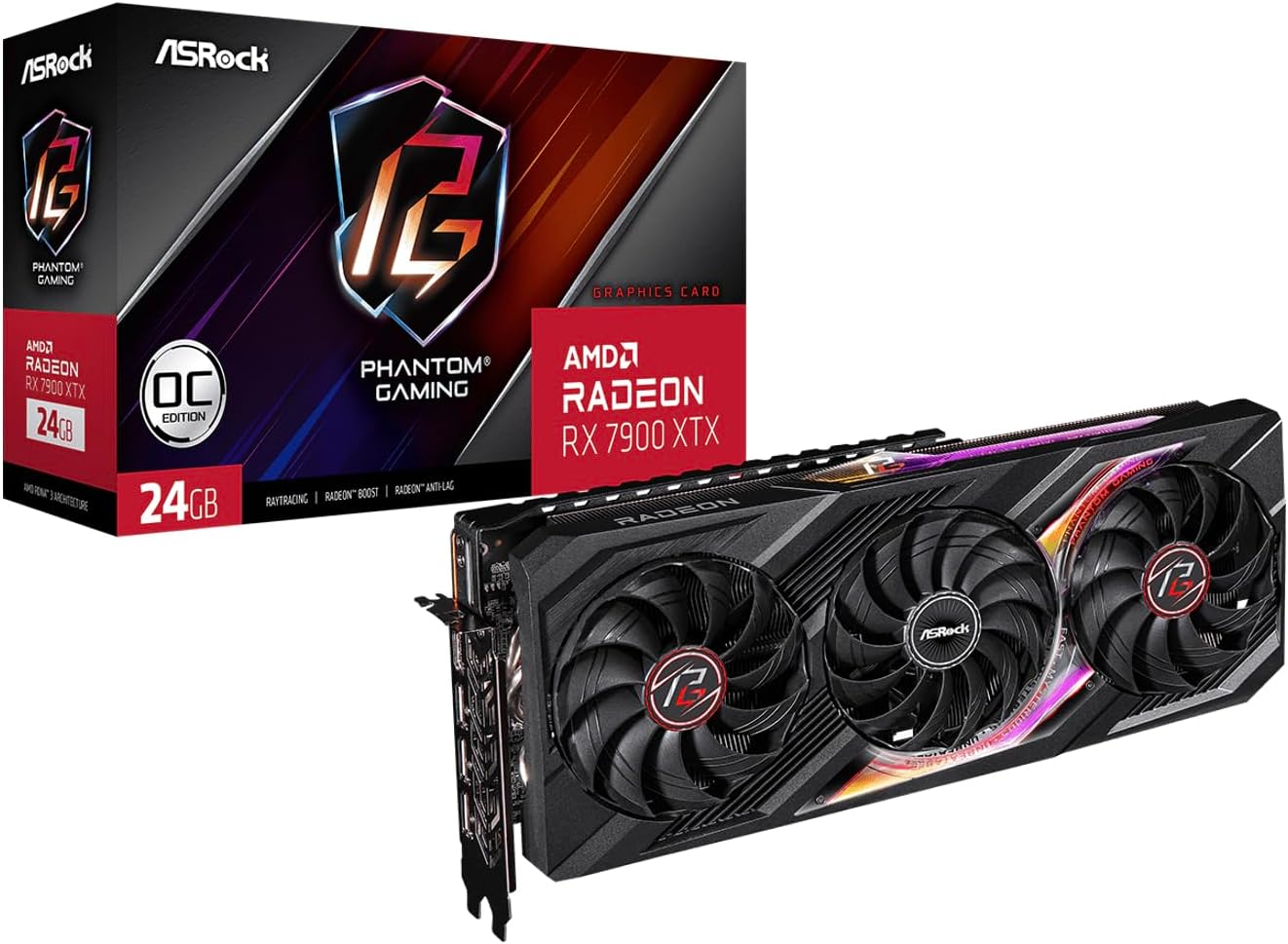
Where to buy this GPU
This is the current Amazon listing we validated for this review. For older or niche GPUs, Amazon availability and pricing can drift above the broader market.
- VRAM
- 24GB GDDR6
- Current listing
- ~$1,350-1,450 linked listing
This article contains affiliate links. We may earn a small commission at no extra cost to you. Specs and compatibility reflect the 2026 software stack.
Quick verdict
The RX 7900 XTX is the best AMD value for local AI: 24GB of VRAM for less than NVIDIA charges for the same capacity, running popular models at roughly 75% of RTX 4090 speed. Buy it if you run Linux, focus on GGUF inference, and want maximum VRAM per dollar — and you accept that ROCm takes more setup than CUDA. Skip it if you are on Windows, need image/video generation, or want zero software friction; an NVIDIA card is the lower-hassle path there.
The RX 7900 XTX is the card that makes the AMD-for-local-AI argument real. It has the VRAM that matters, at a price NVIDIA does not match for 24GB. This review is about whether that value holds up once you account for the software — because with AMD, the software is the whole question.
For the broader brand decision, pair this with our NVIDIA vs AMD for local AI guide.
Quick Verdict
If you run Linux and your workload is GGUF inference, the 7900 XTX is a genuinely good buy: 24GB of VRAM for serious local models at a real discount to NVIDIA’s 24GB cards, with inference speed close enough to a 4090 that you will not feel the gap in interactive use. The catch is everything around the hardware — ROCm setup, weaker Windows support, and a CUDA-first ecosystem for image/video. Get those tradeoffs right and it is excellent; get them wrong and the savings disappear into setup time.
Specs That Matter For Local AI
| Spec | RX 7900 XTX |
|---|---|
| VRAM | 24GB GDDR6 |
| Memory bandwidth | ~960 GB/s |
| Architecture | RDNA 3 |
| TDP | 355W |
| Software stack | ROCm / HIP (llama.cpp, vLLM, LM Studio, Ollama) |
| Interface | PCIe 4.0 |
The headline is 24GB of VRAM — the comfortable tier for 30B-class models — paired with ~960 GB/s bandwidth that keeps generation quick. On raw inference, community benchmarks put it at roughly 75% of an RTX 4090’s token-generation speed on models like Llama 3.1 8B, at well under half the price. For interactive chat and coding, that gap is barely noticeable.
Real Fit And Limits
- 7B–14B models: Fast and comfortable. The 24GB is more than enough here.
- 30–34B models: The point of buying 24GB — runs them comfortably at Q4 with context headroom.
- 70B models: Workable at aggressive quantization on the single card.
- Image and video generation: Possible, but this is the weak spot. The Stable Diffusion / ComfyUI ecosystem is CUDA-first; AMD works with more friction and fewer turnkey paths.
The real limit is software, not silicon. For GGUF chat and coding inference on Linux, the 7900 XTX keeps up. The moment you want the newest tools, image/video generation, or a frictionless Windows setup, NVIDIA pulls ahead — not because the AMD hardware is slow, but because the ecosystem is built around CUDA first.
Power, Thermals, Noise, And Upgrades
At 355W the 7900 XTX is in the same power class as a used RTX 3090 — factor it for an always-on rig (the electricity cost calculator helps). It needs a solid PSU and decent airflow but nothing exotic. The most important “upgrade” consideration is software: budget time for ROCm setup, and run Linux for the smoothest experience.
Pros And Cons
The cards above sum it up: 24GB at a real discount and strong inference speed, against ROCm setup friction, weaker Windows and image/video support, and Amazon listings that run above street. None of the cons are dealbreakers for a Linux-first inference builder — they are precisely the tradeoffs you accept to get 24GB for less.
Who Should Buy It
- Buy it if you run Linux, your workload is mostly GGUF inference, and you want maximum VRAM per dollar. It is AMD’s best local AI card.
- Skip it if you are on Windows, want image/video generation or the newest tools, or value zero setup friction. A 24GB NVIDIA option — a used RTX 3090 — is the lower-hassle path.
AMD 24GB value
ASRock Phantom Gaming Radeon RX 7900 XTX 24GB
24GB for Linux-first inference at a discount to NVIDIA. Listings run above street. See NVIDIA vs AMD.
View Amazon listingFrequently Asked Questions
Is the RX 7900 XTX good for local AI in 2026?
Yes, for inference on Linux. Its 24GB of VRAM and ~75% of RTX 4090 speed make it strong value, provided you accept ROCm setup friction and weaker support for image/video and Windows.
How does the RX 7900 XTX compare to the RTX 4090 for AI?
Both have 24GB. The 7900 XTX runs popular models at roughly 75% of the 4090’s speed at well under half the price. The 4090 wins on software breadth and zero-friction CUDA; the 7900 XTX wins on VRAM-per-dollar.
Does the RX 7900 XTX work with Ollama and LM Studio?
Yes — both have improved AMD support, and llama.cpp’s native HIP backend is the most reliable path. It works best on Linux; expect more setup than NVIDIA’s plug-and-play experience.
Can the RX 7900 XTX do Stable Diffusion?
It can, but this is its weak spot. The image-generation ecosystem is CUDA-first, so AMD works with more friction and fewer turnkey options. For serious local image/video work, NVIDIA is the lower-hassle choice.
Is the RX 7900 XTX better value than a used RTX 3090?
Both give 24GB. The 7900 XTX is new with a warranty and slightly different power; the used 3090 has full CUDA support and a proven used market. Choose the 7900 XTX if you are Linux-first and want the lower-priced linked 24GB option; choose the 3090 when CUDA compatibility justifies its premium.
Last updated: July 11, 2026. Specs were checked against published AMD data; compatibility reflects the 2026 ROCm stack; performance figures reference community benchmarks, not invented numbers. The linked listing price was validated on that date and remains volatile.